
You tap your iPhone on a card reader, hear a soft beep, and the payment is done. But how does Apple Pay work behind the scenes, and is it really safe? In short, Apple Pay stores a secure digital version of your bank card on your device. It sends a one-time code to the shop instead of your real card number. This guide explains the technology in plain English, shows how to set it up in the UK, and covers where you can use it. You will also find tips on security, fees and common problems. Whether you are new to mobile payments or just curious, it is simpler than it looks.
What Is Apple Pay and What Does It Do?
Apple Pay is a digital wallet and mobile payment service from Apple. It lets you pay with an iPhone, Apple Watch, iPad or Mac instead of a plastic bank card. It arrived in the UK in 2015 and now works with cards from most major banks and building societies.
Apple Pay is not a bank, and it does not lend you money. Think of it as a secure go between. Your bank still issues the card and takes the payment from your account.
How Does Apple Pay Work Behind the Scenes?
The key idea is tokenisation. This security method swaps your real card number for a random substitute code, called a token. Here is what happens when you add a card:
- Apple passes your card details to your bank or card network, such as Visa or Mastercard.
- The bank checks the card and approves it for mobile use.
- A unique token, known as a Device Account Number, is created.
- That token is stored in a protected chip on your device called the Secure Element.
Your real card number is not stored on your device or on Apple’s servers. That is the clever part.
When you pay, your device sends the token and a one-time security code to the card reader. The code works for that single transaction only. Even if someone intercepted it, they could not use it again. The payment network then matches the token to your real card, and your bank approves the payment.
How Do You Pay With Apple Pay in Shops and Online?
In shops
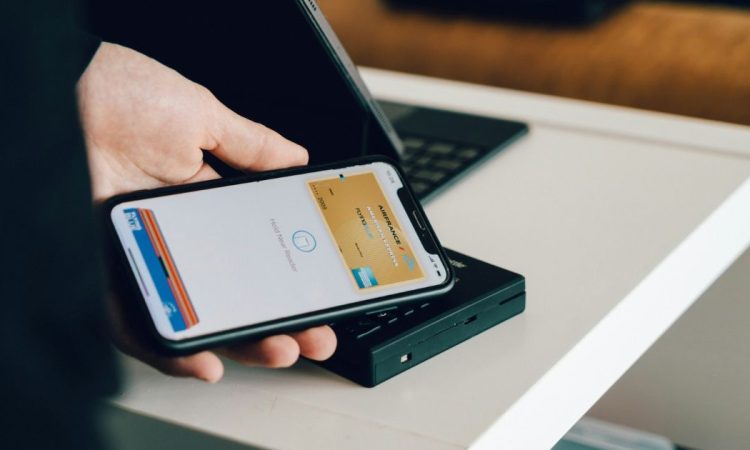
Apple Pay uses NFC, or near-field communication. This short-range wireless technology works within a few centimetres, the same technology behind contactless cards.
- iPhone with Face ID: double-click the side button, glance at your screen, then hold the top of the phone near the reader.
- iPhone with Touch ID: double-click the Home button, rest your finger on it and hold the phone near the reader.
- Apple Watch: double-click the side button and hold the screen near the reader.
You will feel a gentle tap and hear a beep, and a tick appears on screen. Look for the contactless symbol on the terminal.
Online and in apps
Look for the Apple Pay button at checkout in Safari or a supported app. Tap it, check your delivery and contact details, then confirm with Face ID, Touch ID or your passcode. The retailer never sees your real card number, and you skip typing in long card details.
On Apple Watch, iPad and Mac
Apple Watch pays in shops without your iPhone, once the card is added. On a Mac or iPad, Apple Pay works online at checkout. Some Macs need your iPhone or Apple Watch nearby to approve the payment, while Macs with Touch ID can approve it using your fingerprint.
How to Set Up Apple Pay on Your iPhone
Setting up takes about two minutes. You need a compatible iPhone, an Apple Account and a card from a participating bank.
- Open the Wallet app and tap the plus (+) button.
- Choose Debit or Credit Card, then tap Continue.
- Scan your card with the camera or type the details manually.
- Accept the terms and conditions.
- Verify the card using the method your bank offers, such as a text message, banking app or phone call.
- Set a default card if you have more than one.
Many banks also let you add a card straight from their own app, which can be quicker. If your bank does not support Apple Pay, you will see an error message. Contact the bank to ask whether support is planned.
Is Apple Pay Safe to Use?
Apple Pay is generally considered safer than using a physical card, because several layers of protection work together:
- Tokenisation hides your real card number from shops.
- Every payment needs Face ID, Touch ID or your passcode.
- One-time codes stop stolen payment data being reused.
- Shops do not receive your name, full card number or security code.
If you lose your iPhone, use Find My to mark it as lost. This suspends Apple Pay on the device. It is also wise to tell your bank straight away.
No system is flawless. Scams still happen, so keep your software updated and ignore messages that claim to be from Apple or your bank and ask for your details.
Where Can You Use Apple Pay in the UK?
You can use Apple Pay wherever contactless payments are accepted. That covers most supermarkets, high street shops, cafés, petrol stations and many taxis. Online, thousands of retailers and apps offer it at checkout.
Public transport is a major benefit. Transport for London accepts Apple Pay across the Tube, buses, trams and many rail services. Several other UK cities also accept contactless on their buses.
Apple also offers Express Transit mode for some transport cards, which lets you tap through ticket gates without unlocking your phone. You can switch it on in Wallet settings.
Travelling abroad? Apple Pay works in many countries, but your bank may add foreign transaction fees.
Does Apple Pay Cost Anything?
Apple does not charge you to use Apple Pay. Your bank treats each payment like a normal card transaction. So credit card interest, foreign transaction fees or overdraft charges still apply under your usual terms. Retailers pay the standard processing costs, not you.
Apple Pay vs a Contactless Bank Card
Both use the same contactless readers, so the experience feels similar. The difference lies in security and convenience.
A lost contactless card can be used by anyone for smaller purchases, up to the card’s limit. Apple Pay needs your face, fingerprint or passcode each time. Your phone can also hold several cards, so the wallet can stay at home.
The one drawback is battery life. A flat phone usually cannot pay, so a backup card is still sensible.
What to Do When Apple Pay Doesn’t Work
- Reader will not respond: Hold the top of your iPhone close to the reader for a couple of seconds. Remove thick cases or metal accessories.
- Card will not add: Check the details, make sure your software is current, then ask your bank whether it supports Apple Pay.
- Face ID fails: Clean the sensor area or enter your passcode instead.
- Payment declined: Check your balance or credit limit, and confirm the card is active. Your bank can explain the reason.
Sometimes the card reader is at fault, not your phone. Trying another terminal often solves it.
Frequently Asked Questions
Is Apple Pay free to use in the UK?
Yes. Apple does not charge users. Your bank handles the payment like any other card transaction, so your usual card fees, interest or foreign transaction charges still apply.
Can you use Apple Pay without internet?
Often yes. Your iPhone can pay in shops without mobile signal or Wi-Fi, because the card reader handles the connection. Online purchases and adding new cards do need a connection.
Which UK banks support Apple Pay?
Most major UK banks and building societies support it, but coverage varies. Check your bank’s website or app, or try adding the card in Wallet to see if it is accepted.
What happens if I lose my iPhone with Apple Pay set up?
Use Find My to mark the iPhone as lost, which suspends Apple Pay. Then contact your bank to freeze or replace the cards, and change your Apple Account password.
Conclusion
So, how does Apple Pay work? It stores a tokenised version of your card in a secure chip, then sends a one-time code to the reader when you confirm with Face ID, Touch ID or a passcode. That keeps your real card number private.
Setup is quick, it costs nothing, and it works almost anywhere contactless is accepted across the UK. Keep a backup card for flat batteries, and update your software regularly. For most people, Apple Pay is a safe, convenient way to pay, and now you know exactly what happens when you tap.
for more information click here