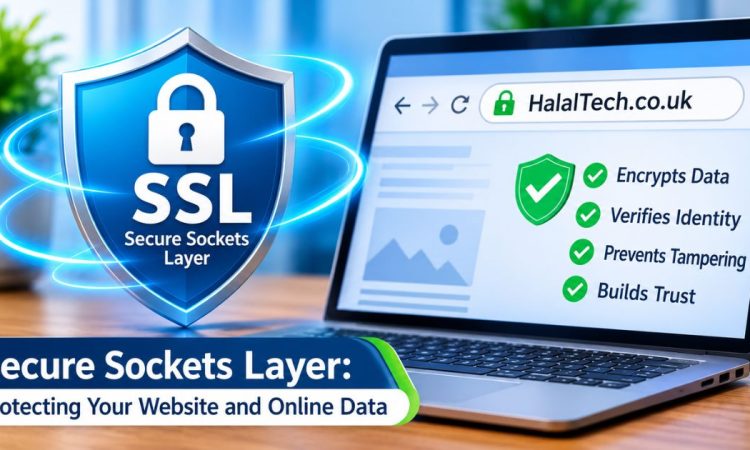

Secure sockets layer, usually shortened to SSL, is the technology behind the padlock in your browser’s address bar. It scrambles data travelling between your device and a website, so nobody can read it along the way. Strictly speaking, SSL is now obsolete. Its successor, TLS, does the job today. Yet hosts, developers and certificate sellers still say “SSL” for both. This guide explains what secure sockets layer is, how it works, which certificate you need and how to check a site is safe. It suits UK website owners and everyday browsers alike. Read on to avoid common mistakes.
What Is Secure Sockets Layer?
Secure sockets layer is a security protocol. A protocol is simply an agreed set of rules for how computers talk to each other. SSL’s rules create an encrypted link between a browser and a web server. Encryption means turning readable information into scrambled code that only the right key can unlock.
Netscape created SSL in the mid-1990s. Version 3.0 arrived in 1996. Security researchers later found serious flaws, and SSL 3.0 was formally retired in 2015. The Internet Engineering Task Force (IETF) had already developed Transport Layer Security (TLS) to replace it. TLS 1.3, published in 2018, is the current version.
So when a hosting company sells you an “SSL certificate”, you are really buying a TLS certificate. The name stuck because people knew it. This article uses SSL in the same everyday sense.
How Does SSL Work?
Every secure connection begins with a short exchange known as a handshake. It takes milliseconds and happens without you noticing.
- Your browser asks a website to prove its identity.
- The server sends its certificate, which contains its public key.
- The browser checks the certificate is valid and issued by a trusted authority.
- Both sides agree a temporary session key.
- All further data is encrypted using that session key.
The public key is like an open padlock anyone can use. Only the server holds the matching private key to open it. Modern connections then switch to a faster session key for the actual browsing.
What Is an SSL Certificate?
An SSL certificate is a small digital file installed on your web server. It does two jobs. It enables encryption, and it confirms who runs the website.
Certificate authorities (CAs) issue these files. They are organisations that browsers trust, such as Let’s Encrypt, DigiCert and Sectigo. A CA checks that you control the domain before it signs your certificate.
Types of SSL Certificate
By Validation Level
- Domain Validated (DV): confirms domain control only. Quick, cheap and often free. Ideal for blogs and small sites.
- Organisation Validated (OV): the CA also checks your business details. Suits companies and charities.
- Extended Validation (EV): the strictest vetting. Browsers no longer show the old green bar, so the visible benefit is small.
By Coverage
- Single domain: protects one hostname, such as
- Wildcard: covers a domain and all its subdomains.
- Multi-domain: protects several different domains under one certificate.
For most small UK sites, a DV certificate is enough. Online shops and organisations handling sensitive data may prefer OV for the extra trust signal. All of them provide the same strength of encryption.
Why Secure Sockets Layer Matters for UK Websites
Encryption stops attackers on public Wi-Fi, for example in a café or station, from reading what visitors send. That includes passwords, addresses and card details.
- Trust: Browsers label unencrypted HTTP pages as “Not secure”, which puts visitors off.
- Data protection: UK GDPR requires organisations to use appropriate security for personal data. Encryption in transit is a standard measure.
- Payments: Card payment rules, known as PCI DSS, expect card data to be encrypted when sent.
- Search: Google has used HTTPS as a minor ranking signal since 2014.
- Integrity: Encryption also detects tampering, so nobody can quietly alter a page in transit.
SSL, TLS and HTTPS: What’s the Difference?
The three terms overlap, which causes confusion. Here is a plain breakdown.
- SSL: the original protocol, now retired and unsafe to use.
- TLS: the modern replacement that actually secures connections today.
- HTTPS: the web address prefix showing a site uses TLS (or historically SSL) underneath.
Any server still offering SSL 3.0, TLS 1.0 or TLS 1.1 should be updated. Those older versions are considered weak, and major browsers have dropped support for them.
How to Check Whether a Website Uses Secure Sockets Layer
Checking takes seconds.
- Look for https:// at the start of the address.
- Click the padlock or site-information icon beside the address.
- Choose the certificate details to see who issued it and when it expires.
- Heed any browser warning page. Do not click through to continue.
A padlock shows the connection is encrypted. It does not prove the site is honest. Scam websites can obtain certificates too, so check the domain spelling carefully before entering personal details.
How to Install an SSL Certificate
Most UK hosts make this simple. Many include free certificates through Let’s Encrypt and install them automatically from the control panel.
If you manage your own server, the usual steps are:
- Generate a certificate signing request (CSR) and private key on your server.
- Submit the CSR to a certificate authority and prove you control the domain.
- Install the issued certificate and any intermediate certificates.
- Redirect all HTTP traffic to HTTPS.
- Test the setup using an online checker such as Qualys SSL Labs.
Keep your private key secret. Anyone who obtains it can impersonate your site.
Common SSL Problems and Fixes
- Expired certificate: browsers show a full-page warning. Renew before expiry and enable auto-renewal.
- Mixed content: a secure page loads images or scripts over HTTP. Update those links to HTTPS.
- Name mismatch: the certificate covers example.co.uk but not. Reissue it with both names.
- Missing intermediate certificate: some devices fail to trust the chain. Install the full bundle from your CA.
Certificate lifetimes are also shrinking. Industry rules are cutting the maximum validity period in stages, so automated renewal is fast becoming essential rather than optional. Check your provider’s current limits.
Is Secure Sockets Layer Enough to Keep a Website Safe?
No. Encryption protects data in transit, but it does nothing about weak passwords, outdated plugins or poorly written code. A fully encrypted site can still be hacked.
Treat SSL as one layer of protection. Pair it with other sensible habits:
- Keep your CMS, themes and plugins updated.
- Use strong, unique passwords and two-factor authentication.
- Take regular backups and store them off the server.
- Add security headers such as HSTS, which tells browsers to always use HTTPS.
The National Cyber Security Centre (NCSC) publishes free, practical guidance for small organisations. It is a good place to start if you run a website without a dedicated IT team.
Does Secure Sockets Layer Slow a Website Down?
Not in any way visitors would notice. TLS 1.3 shortened the handshake. Browsers only support HTTP/2 and HTTP/3 over encrypted connections, and those protocols can make pages load faster. A well-configured server adds very little delay.
Frequently Asked Questions
What does SSL stand for?
SSL stands for secure sockets layer. It is the older name for the encryption technology now called TLS, which protects data sent between browsers and websites.
Is SSL still used today?
No. SSL itself was retired in 2015. Websites now use TLS, though people still call certificates “SSL certificates” out of habit. Check your host supports TLS 1.2 or 1.3.
Can I get an SSL certificate for free?
Yes. Let’s Encrypt issues free domain-validated certificates, and many UK hosts install them automatically. Paid options add warranties, business validation and dedicated support. Free certificates use the same encryption strength.
How do I know if a website is secure?
Look for https:// and a padlock icon, then check the domain spelling. A padlock shows encryption only, so stay cautious about unfamiliar shops and unexpected requests for personal details.
Conclusion
Secure sockets layer may be an outdated name, but the idea behind it is essential. Today’s TLS encryption protects logins, payments and personal details on every trustworthy website. For site owners, a certificate is cheap, often free, and increasingly expected by visitors and browsers. For everyone else, the padlock is a useful first check, though never the final word. Choose a reputable provider, keep renewals automatic and combine encryption with good security habits. Do that, and you give visitors a safer experience and yourself far fewer headaches.