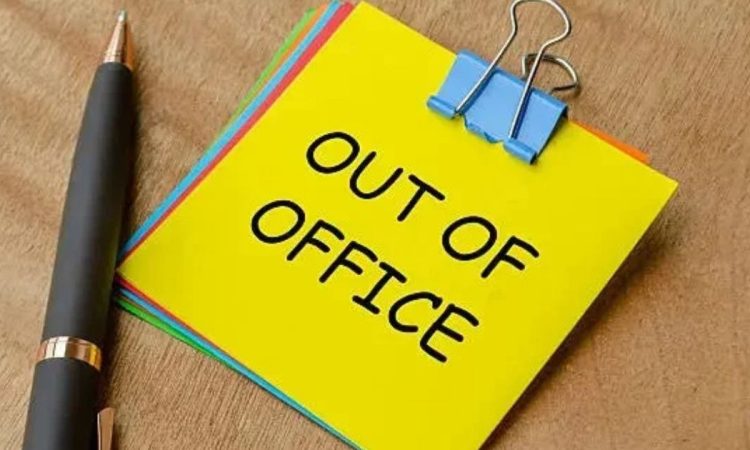

A good out of office message does one job well. It tells people you are away, when you will reply and who can help meanwhile. Yet many automatic replies sound cold, vague or reveal far too much.
These out of office message examples cover holidays, sickness, conferences, parental leave and more. Each template is short, polite and ready to copy. You will also find advice on tone, wording and what to leave out.
Whether you work in a busy office, run a small business or freelance from home, the right reply protects your reputation. Get it right once and you can switch off properly.
What Should an Out of Office Message Include?
An out of office message is an automatic email reply that tells senders you are unavailable. Think of it as a polite signpost. It should answer three questions before the sender has to ask them.
Include these essentials:
- Your return date, so people know how long to wait.
- A backup contact with a name, email address or phone number.
- A clear expectation, such as when you will reply.
- A friendly sign-off that matches your workplace tone.
Keep it under 80 words. Readers skim automatic replies, so long paragraphs rarely get read. Use a clear subject line too, such as “Out of office until [date]”.
Short Out of Office Message Examples for Annual Leave
Holiday replies are the most common. Choose the version that fits your role.
Standard version
Subject: Out of office until [date]
Hello,
Thank you for your email. I am on annual leave and will return on [date]. I will reply as soon as possible after that.
For urgent matters, please contact [name] at [email].
Kind regards,
[Your name]
Version with no email access
Subject: Away from my desk until [date]
Hello,
I am away and will not be checking emails until [date]. Your message has not been forwarded. If it is urgent, please email [name] at [email], who can help.
Best wishes,
[Your name]
Warm, friendly version
Subject: Off to recharge until [date]
Hi there,
Thanks for getting in touch. I am enjoying a break and will be back on [date]. If you need a quicker reply, [name] will be happy to help at [email].
Speak soon,
[Your name]
Tip: say “back on” rather than “back in the office”. It works for remote and hybrid teams too.
Out of Office Message Examples for Sickness and Unplanned Absence
You do not need to explain why you are off. Keep medical details private. Health information is classed as special category data under UK GDPR, so share as little as possible.
Subject: Currently unavailable
Hello,
Thank you for your message. I am unavailable at the moment and have limited access to email. I will respond when I can.
For anything urgent, please contact [name] at [email].
Kind regards,
[Your name]
Avoid promising a return date if you are unsure. “I will reply when I am back” is safer than a date you may miss.
Professional Out of Office Message Examples for Specific Situations
Some absences need a little more context. These templates keep things clear without oversharing.
Conferences and Training Days
Subject: Attending [event name] on [date]
Hello,
I am attending a conference and will have limited access to email until [date]. I will reply on my return.
If your query is urgent, please contact [name] at [email].
Thank you,
[Your name]
Parental Leave
Subject: On parental leave until [date]
Hello,
I am on parental leave until [date] and will not be monitoring emails. For all enquiries, please contact [name] at [email], who is covering my work.
Thank you for your understanding,
[Your name]
UK employees on longer leave often name a cover colleague. It keeps work moving and sets clear boundaries.
Bank Holidays and Christmas Closures
Subject: Closed for the bank holiday
Hello,
Our office is closed on [date] and will reopen on [date]. We will respond to your message on our first working day.
Warm regards,
[Team or company name]
Leaving the Company
Subject: I have left [company name]
Hello,
I no longer work at [company name]. Please contact [name] at [email] for any ongoing matters. This inbox is no longer monitored.
Best wishes,
[Your name]
Check with your manager before using this one. Many employers set their own policy.
How to Choose the Right Tone for Your Message
Tone depends on your audience. A solicitor’s office and a design studio will not sound the same, and they should not.
Formal: Suits law, finance, public sector and healthcare. Use full sentences, avoid contractions and keep greetings simple.
Neutral: Works for most workplaces. Polite, brief and clear.
Friendly: Suits creative, retail and startup teams. A light touch is fine, but keep the key details easy to find.
If you are unsure, copy the style of your usual emails. Consistency feels natural to the people who know you.
Think about accessibility too. Plain language, short sentences and no unusual fonts help everyone read your reply, including people using screen readers.
Out of Office Message Examples for Small Businesses and Freelancers
Customers expect a quick answer, even when you are away. A confident reply keeps trust intact and may even save an enquiry.
Subject: Thanks for contacting [business name]
Hello,
Thanks for your message. We are away until [date] and will reply to all enquiries on our return.
Need help sooner? Visit our FAQ page at [link] or call [number] for urgent orders.
Kind regards,
[Business name]
Link to a helpful page if you have one. It answers many questions before you return, and the reader feels looked after.
Common Mistakes to Avoid in Your Automatic Reply
- Oversharing. Skip your destination and travel plans. Broadcasting that you are away can create security risks.
- Being vague. “I will reply soon” means nothing. Give a date.
- Naming no backup. Senders then have nowhere to go.
- Using humour carelessly. A joke may land well with colleagues but badly with a client.
- Forgetting to switch it off. An old reply makes you look disorganised. Set an end date when you create it.
How to Set Up an Out of Office Reply in Outlook and Gmail
The steps differ slightly between versions, but the basics are similar.
Outlook: Open the File menu, choose Automatic Replies, tick “Send automatic replies” and add your dates and message. In Outlook on the web, open Settings and search for “automatic replies”.
Gmail: Click the cog icon, select See all settings, then scroll to Vacation responder. Switch it on, set your dates, add a subject and message, then save.
Send a test email from another account before you leave. Both services let you limit replies to certain senders, which can cut down on unwanted responses.
Frequently Asked Questions
How long should an out of office message be?
Aim for 50 to 80 words. Include your return date, a backup contact and one polite line. Anything longer risks being skimmed or ignored by busy readers.
Should I give a reason for being away?
No. A reason is optional and often unnecessary. Say you are away or unavailable. Avoid health details, travel plans and personal circumstances, especially in replies that go to external senders.
What is a good subject line for an out of office reply?
Keep it simple and specific, such as “Out of office until 12 September”. A clear subject line helps senders understand your status before they open the message.
Do I need a different message for internal and external contacts?
It helps. Colleagues may need cover details, while clients need only dates and a contact. Outlook lets you write separate replies, and Gmail lets you limit replies to contacts.
Conclusion
The best out of office message examples share a few habits. They state the return date, name a backup contact and keep the tone in line with your workplace. They also protect your privacy by leaving out medical details and travel plans.
Pick the template closest to your situation, adjust the details and test it before you leave. A clear automatic reply saves confusion, keeps colleagues and customers informed and lets you enjoy your time away without worry.
for more information click here