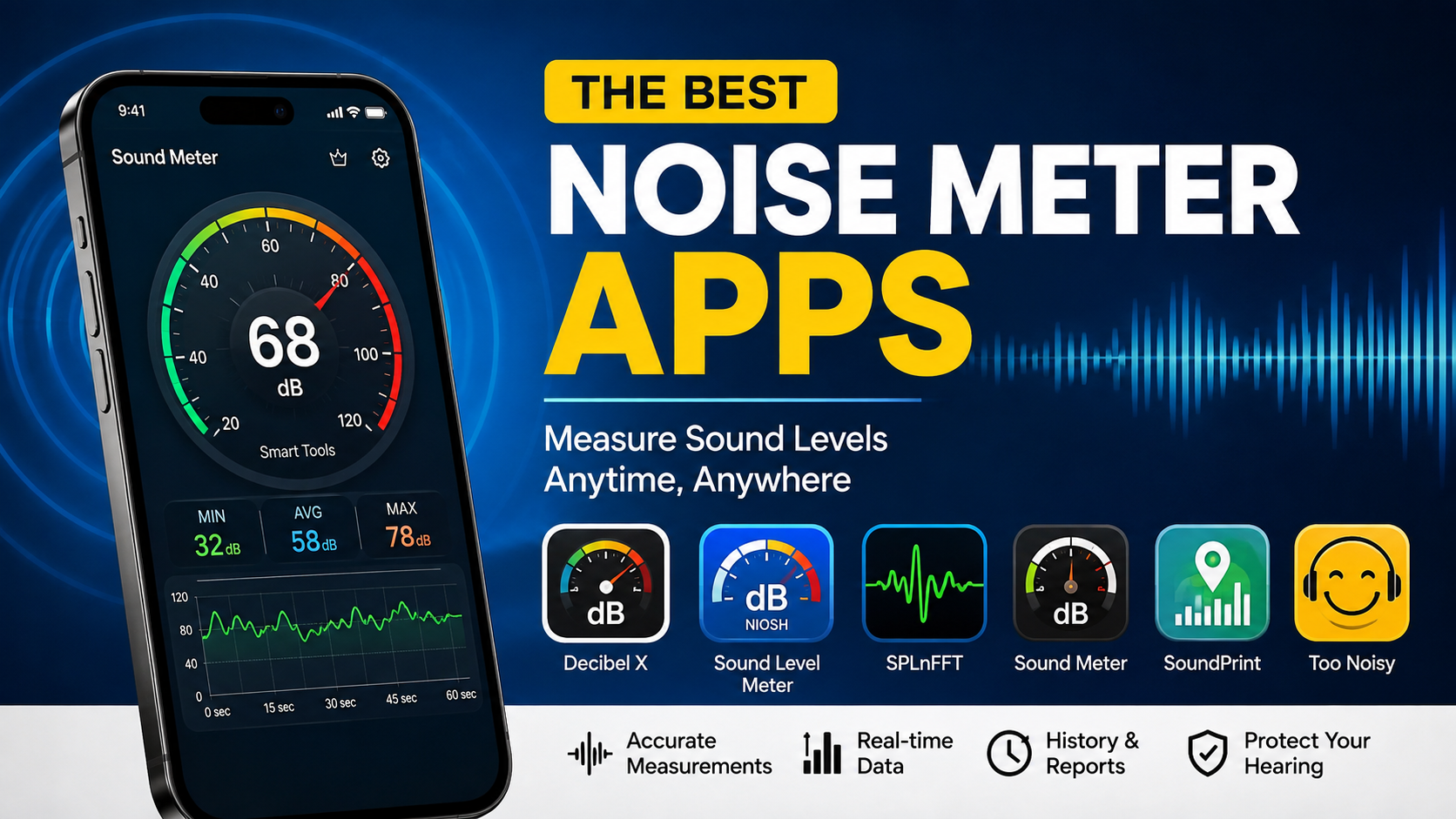

If you have ever wondered how loud your home, workplace, classroom, restaurant, traffic, headphones, or concert really is, a noise meter app can turn your smartphone into a surprisingly useful sound-level measuring tool.
Noise meter apps use your phone’s microphone to estimate sound pressure levels and display the result in decibels (dB). Some are designed for simple everyday checks, while others provide advanced features such as A-weighting, C-weighting, noise exposure calculations, calibration, graphs, sound spectrum analysis, and data logging.
However, choosing the best noise meter app is not simply about downloading the app with the highest rating. The microphone and audio hardware in your phone also affect the results. iPhones offer a more consistent hardware environment, while Android devices vary considerably between manufacturers and models. The U.S. National Institute for Occupational Safety and Health (NIOSH), for example, says its Sound Level Meter app has been tested to within ±2 dBA under its laboratory conditions and is available only for iOS.
In this guide, we’ll look at some of the best noise meter apps available in 2026, explain what makes them useful, discuss their limitations, and help you decide which option is right for your needs.
What Is a Noise Meter App?
A noise meter app is a smartphone application that uses the device’s microphone to estimate the loudness of surrounding sound.
The measurement is normally displayed in decibels. Because the decibel scale is logarithmic rather than linear, a small numerical change can represent a significant change in sound intensity.
For example, a quiet bedroom may have a relatively low reading, while a busy road, construction site, nightclub, or concert can produce much higher readings.
Noise meter apps can be useful for:
- Checking how noisy a room is
- Monitoring workplace noise
- Comparing different environments
- Investigating loud neighbours or traffic
- Checking classroom noise
- Measuring approximate concert or event levels
- Learning about hearing safety
- Monitoring home appliances
- Testing whether headphones or speakers are producing very loud sound
The important word is approximate. A smartphone app should not automatically be treated as a replacement for a professional, calibrated sound-level meter.
Why Use a Noise Meter App?
The biggest advantage is convenience.
A professional sound-level meter can be expensive, and most people don’t carry one around. Your smartphone, however, is probably already in your pocket.
A good noise meter app can provide an immediate indication of whether an environment is quiet, moderate, or extremely loud. Some applications also allow you to record measurements and review them later.
For everyday purposes, that can be extremely helpful.
Imagine that you are working from home and traffic noise suddenly becomes distracting. Instead of simply saying that the street sounds loud, you can use an app to see how the sound level changes during different times of the day.
Similarly, if you are attending a concert and want to understand how loud the environment is, a noise meter app can provide useful information.
Best Noise Meter Apps at a Glance
Here are some of the strongest options to consider in 2026:
| App | Platform | Best For |
|---|---|---|
| NIOSH Sound Level Meter | iPhone | Accuracy and workplace noise |
| Decibel X | iPhone & Android | Overall features |
| SPLnFFT Noise Meter | iPhone | Advanced sound analysis |
| Sound Meter | Android | Simple Android measurements |
| SoundPrint | iPhone & Android | Checking noise at venues |
| Too Noisy | iPhone & Android | Classrooms and visual noise monitoring |
Let’s look at each option in more detail.
1. NIOSH Sound Level Meter
If you use an iPhone and want a noise meter app with strong scientific credentials, the NIOSH Sound Level Meter should be near the top of your list.
The app was developed by acoustics engineers and hearing-loss experts associated with the National Institute for Occupational Safety and Health. According to NIOSH, the app was tested in its acoustics laboratory and can achieve accuracy within ±2 dBA under the specified testing conditions.
The official App Store listing also states that the app is free, contains no advertisements or in-app purchases, and has been tested and validated.
Key features
The NIOSH app provides measurements and information useful for understanding occupational noise exposure.
Depending on how it is configured, it can provide metrics including:
- Average sound levels
- LAeq
- Time-weighted average
- Maximum levels
- Peak levels
- Noise dose
- Projected dose
- A, C and Z weighting
- Calibration options
- Data sharing
One particularly important advantage is that NIOSH explains its testing methodology rather than simply claiming that the app is “professional.”
Who should use it?
It is particularly suitable for:
- iPhone users
- Students
- Workers
- Safety professionals
- People learning about noise exposure
- Anyone wanting a free noise meter with strong technical documentation
The main limitation
The NIOSH Sound Level Meter is currently an iOS-only app. NIOSH explains that the huge variety of Android hardware makes it difficult to verify performance consistently across Android devices.
If you have Android, you’ll need another option.
2. Decibel X
Decibel X is one of the most recognizable noise meter apps for people who want a combination of convenience and advanced features.
Unlike the NIOSH app, Decibel X is available across iPhone and Android, making it an attractive option for users who want the same general experience regardless of their smartphone platform.
The iOS version supports features such as sound pressure level measurement, frequency spectrum analysis, A-weighting and C-weighting.
Why Decibel X is popular
One of its biggest advantages is its polished interface.
Instead of displaying only a single number, the application can present sound levels visually and provide additional information about changes in the surrounding environment.
Depending on the version and purchased features, users can also access:
- Historical measurements
- Graphs
- Calibration
- Frequency analysis
- Data export
- Different weighting options
- Noise exposure features
The current App Store listing shows Decibel X with more than 160,000 ratings and a 4.6-star rating on iOS, although ratings and pricing can change over time.
Is Decibel X accurate?
This is where you should be careful.
The developer describes the app as providing highly reliable, pre-calibrated measurements, but smartphone-based measurements still depend on the device’s microphone and calibration.
That means Decibel X can be excellent for general-purpose noise monitoring, but you shouldn’t automatically assume that every Android phone will produce laboratory-grade results.
Best for
Decibel X is a strong choice if you want:
- iPhone and Android compatibility
- A modern interface
- Noise graphs
- Frequency information
- Calibration features
- Data recording
- More advanced controls than a basic meter
3. SPLnFFT Noise Meter
If you’re an iPhone user who wants more than a simple “how loud is it?” reading, SPLnFFT Noise Meter is worth investigating.
It is designed with more advanced sound measurement and analysis in mind.
Studies of smartphone sound measurement apps have found strong performance from some iOS-based applications, although results depend on the particular hardware, software version, measurement setup, and calibration.
SPLnFFT is particularly interesting because it combines sound-level measurement with spectrum analysis.
Features can include
- Sound pressure level measurement
- Frequency spectrum
- A-weighting
- C-weighting
- Peak measurements
- Equivalent sound levels
- Statistical measurements
- External microphone support
- Calibration
This makes it more appropriate for audio enthusiasts, musicians, engineers, students, and people who want to understand sound in greater detail.
Who should choose SPLnFFT?
Choose it if you’re interested in sound analysis, rather than simply checking whether a room is loud.
For someone who wants a quick measurement once every few months, it may offer more features than necessary.
4. Sound Meter for Android
Android users have many noise meter applications to choose from, but there is an important issue: Android phones use a wide variety of microphones and audio hardware.
That means two different Android phones can potentially produce different readings in the same environment.
A commonly used Android option is simply called Sound Meter, including versions developed by rootApps.
These applications generally focus on simplicity. You open the app, give it microphone access, and see the approximate sound level.
Why simple can be better
Not everyone needs a complicated sound-analysis system.
If your goal is something like:
“Is my room quieter at night than during the afternoon?”
a simple app may be perfectly adequate.
You can take several readings under similar conditions and compare them.
The important thing is to avoid treating the displayed number as an exact laboratory measurement unless you have properly calibrated the setup.
5. SoundPrint
SoundPrint takes a slightly different approach.
Instead of focusing solely on measuring sound around you, it is designed around the idea of identifying noisy venues and building information about noise levels in public spaces.
This can be useful when deciding where to meet friends, work, study, or have a conversation.
Imagine you want to find a restaurant where you can actually talk comfortably. A traditional decibel meter tells you how loud the restaurant is after you arrive.
A service such as SoundPrint is more interesting because it can help people think about venue noise before visiting.
Best use cases
SoundPrint can be useful for:
- Restaurants
- Cafés
- Bars
- Public venues
- Social spaces
- Finding quieter locations
It is worth remembering that crowdsourced measurements are not the same thing as professional acoustic surveys. Different people may measure different parts of a venue at different times.
Still, the concept is useful for people who care about the noise environment when choosing where to spend time.
6. Too Noisy
Too Noisy is another interesting option, particularly for classrooms.
Rather than being designed primarily as a professional measurement instrument, it uses a visual approach to help people understand when sound levels are getting too high.
This can make it useful for teachers working with younger students.
Why visual feedback works
A numerical value such as 72 dB may not mean much to a child.
A visual meter that changes as the classroom becomes louder can be much easier to understand.
Teachers can use visual noise feedback to encourage students to lower their voices without constantly interrupting the lesson.
This type of app should be considered a behaviour and awareness tool, rather than a replacement for a calibrated sound meter.
How Accurate Are Noise Meter Apps?
Accuracy is probably the most important question when comparing the best noise meter apps.
The short answer is:
It depends.
Your smartphone microphone wasn’t necessarily designed to be a laboratory-grade sound-level measurement instrument.
The app itself is only part of the system.
The phone’s:
- Microphone
- Audio processing hardware
- Software
- Operating system
- Microphone placement
- Case
- Calibration
- Background noise
can all affect the result.
NIOSH specifically reports that its iOS app was tested for accuracy and explains that its verification is possible because Apple devices have a more controlled hardware environment. It also notes the difficulty of verifying Android apps across the fragmented Android hardware ecosystem.
iPhone vs Android for Noise Measurement
If accurate smartphone noise measurement is your priority, iPhone currently has a significant advantage in terms of validated app performance.
That doesn’t mean Android noise meter apps are useless.
They can be very useful for general comparisons.
For example, if your Android phone says:
- Room A = 40 dB
- Room B = 58 dB
you can reasonably conclude that Room B is considerably louder.
But you should be more cautious about claiming that the exact value is 58 dB.
The difference between relative measurement and absolute measurement is important.
What Does dB Mean?
Decibels, abbreviated as dB, are used to describe sound pressure levels and other quantities.
The scale is logarithmic, which means sound doesn’t increase in a simple one-to-one fashion.
A change of a few decibels can be meaningful, particularly when discussing noise exposure.
This is one reason it is useful to understand the context surrounding a measurement rather than focusing only on a single number.
A noise meter app can help you identify patterns, such as:
- When your home is loudest
- When traffic noise peaks
- Whether a workplace is consistently noisy
- How loud a particular appliance is
- Whether an event becomes louder over time
What Is A Weighting?
If you have explored sound meter apps, you’ve probably seen the term dBA.
A-weighting adjusts the measurement to better approximate how human hearing responds to different frequencies.
This is why many environmental and hearing-related noise measurements use A-weighted decibels.
You may also encounter C-weighting, written as dBC.
C-weighting treats low-frequency sound differently and can be useful in situations involving louder environments and bass-heavy sound.
The NIOSH Sound Level Meter provides multiple weighting networks, including A, C and Z, making it more flexible for users who need more than a basic reading.
How to Get Better Results From a Noise Meter App
Even the best app can produce questionable results if you use it incorrectly.
Here are several practical tips.
Keep the Phone Position Consistent
If you are comparing two locations, hold the phone in approximately the same way.
Changing the microphone’s position can change the reading.
Don’t Cover the Microphone
Make sure your hand, phone case, or another object isn’t blocking the microphone.
Take Several Measurements
Don’t rely on one instant reading.
Noise changes constantly.
Take multiple measurements and look at the average or overall pattern when the app provides that functionality.
Avoid Extremely Close Measurements
Don’t place your phone directly against a loudspeaker and assume the result represents what a person in the room is experiencing.
Measure from the location where you actually want to understand the noise.
Calibrate When Possible
Some advanced applications allow calibration.
If you have access to a known reference source or a calibrated external microphone, calibration can improve the usefulness of your measurements.
What Should You Look for in the Best Noise Meter App?
Before downloading an app, consider what you actually need.
For simple measurements
Choose a straightforward application with:
- Large numerical display
- Minimum and maximum readings
- Average readings
- Simple graphs
For workplace monitoring
Look for:
- LAeq
- TWA
- Noise dose
- Peak measurements
- Data logging
- Calibration
- A/C/Z weighting
The NIOSH app is particularly interesting for iPhone users because it includes several workplace-related metrics and was developed specifically around noise exposure.
For music and audio
Look for:
- Frequency spectrum
- Peak levels
- Leq
- Frequency weighting
- External microphone support
- Detailed graphs
For classrooms
A visual interface may be more useful than advanced acoustic statistics.
Are Noise Meter Apps Good Enough for Hearing Safety?
They can be useful for awareness, but you should be careful.
If you’re dealing with occupational noise, hearing protection decisions, legal disputes, industrial safety requirements, or other situations where accurate measurements are critical, use appropriate professional equipment and qualified advice.
A phone app can tell you that something appears extremely loud.
It should not automatically be treated as legal or professional evidence.
The NIOSH app is an interesting exception in terms of validation because NIOSH has specifically tested it and documents its accuracy under stated conditions. Even then, NIOSH explains the conditions surrounding its Type 2 standard performance, including the use of a calibrated external microphone.
Which Noise Meter App Is Best?
There isn’t one perfect app for everyone.
Best overall for iPhone: NIOSH Sound Level Meter
For iPhone owners who prioritize validated measurements and workplace noise information, NIOSH is an excellent choice.
It is free, has no advertisements or in-app purchases, and comes from a respected public-health organization.
Best cross-platform option: Decibel X
If you want an attractive app that works across iPhone and Android, Decibel X is one of the strongest choices.
Its feature set makes it suitable for everyday users as well as people interested in more detailed sound analysis.
Best for advanced iPhone users: SPLnFFT
If you’re interested in frequency analysis and detailed sound measurements, SPLnFFT is worth considering.
Best for basic Android use: Sound Meter
For a quick and simple Android measurement, a basic Sound Meter application can be sufficient, provided you remember that readings may vary between devices.
Best for finding quieter venues: SoundPrint
If your main goal is deciding whether a restaurant or public venue is likely to be noisy, a crowdsourced approach can be more useful than carrying out your own measurement after you arrive.
Best for classrooms: Too Noisy
For teachers who want visual feedback rather than technical acoustic measurements, Too Noisy can be a practical option.
Final Thoughts
The best noise meter apps can turn an ordinary smartphone into a useful tool for understanding the sound around you.
For iPhone users, the NIOSH Sound Level Meter stands out because its accuracy has been tested and documented by NIOSH.
For people who want a feature-rich app on both iPhone and Android, Decibel X is an appealing choice with measurement, visualization, calibration and analysis features.
Other apps such as SPLnFFT, Sound Meter, SoundPrint and Too Noisy serve more specialized purposes.
The most important thing to remember is that a smartphone noise meter is not automatically equivalent to a professional sound-level meter. Use these apps to understand your environment, compare noise levels, identify patterns and become more aware of potentially loud surroundings.
If you need measurements for professional safety, regulatory compliance, medical decisions, or legal purposes, use calibrated equipment and appropriate professional guidance.
For everyday noise awareness, however, installing one of the best noise meter apps can be a simple and inexpensive way to discover just how loud the world around you really is.
for more information click here