
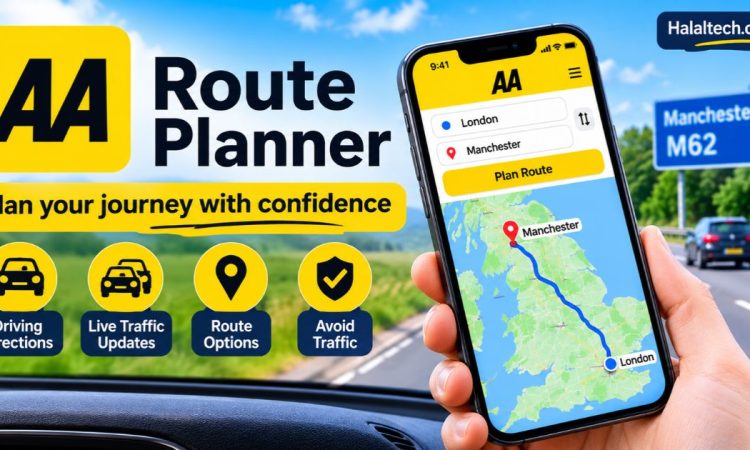

Planning a long drive across the UK is rarely as simple as typing in a postcode. You want the quickest road, a fair idea of fuel costs and some warning about delays. Many drivers search for a route planner aa route planner tool for exactly that reason. This guide explains what the AA Route Planner does, how to use it and where it beats a standard sat nav app. It also covers its limits, so you can decide whether it suits your next trip. Whether you commute, visit relatives or head for the coast, the right preparation makes the drive smoother.
What Is the AA Route Planner?
The AA Route Planner is an online tool from the AA, one of the UK’s best-known motoring organisations. You enter a start point and a destination, and it suggests a road route with the distance and an estimated journey time. The same planner is also available through the AA app, which can help you find cheaper fuel along your route.
In simple terms, a route planner is a tool that works out the best way between two or more places. It compares roads and then picks the option that suits your settings, such as fastest or shortest. The AA version is built for UK drivers, so it works with UK postcodes and road networks.
Because the AA has long published road atlases and motoring advice, many drivers already know the brand. Even so, treat any online planner as a guide and keep your own judgement switched on.
How to Use the AA Route Planner Step by Step
Using the planner takes only a couple of minutes. The layout may change over time, but the process usually looks like this.
- Open the planner on theaa.com or in the AA app.
- Enter your starting point. A full postcode gives the most accurate result.
- Add your destination, plus any stops along the way.
- Choose your preferences, such as avoiding motorways or toll roads.
- Check the route, distance and journey time.
- Review any fuel cost estimate and adjust your vehicle details if the tool asks for them.
Check the options carefully before you set off. The fastest route is not always the best one. For example, a slightly longer road may avoid a busy junction or a toll charge.
Key Features Worth Using
The planner does more than draw a line on a map. These are the features that matter most to everyday drivers.
Multiple stops
If your trip includes a school run, a petrol station and a friend’s house, add each as a stop. Rearranging them can shorten the overall drive. This helps with deliveries, family days out and business visits.
Route preferences
You can usually choose between fastest and shortest routes. You can also avoid motorways or tolls. That matters if you are towing, driving a nervous passenger or trying to dodge charges such as the Dartford Crossing.
Fuel cost estimates
Where the planner shows a fuel cost estimate, treat it as a guide rather than a promise. Real costs depend on your driving style, traffic, load and local pump prices. The AA app can also help you find cheaper fuel along your route.
Traffic awareness
Journey times mean little without traffic. Use the planner alongside live traffic information before you leave, especially for motorway trips on Fridays and bank holiday weekends.
Who Benefits Most from an AA Route Planner?
Several groups get real value from it:
- Commuters testing alternative roads before a new job starts.
- Families planning holiday drives with fuel stops and breaks.
- Small business owners and tradespeople visiting several customers in a day.
- Learner drivers and new drivers rehearsing an unfamiliar route.
- Visitors to the UK who want a clear overview of motorway and A-road choices.
Muslim drivers on longer trips can also plan prayer breaks and halal meal stops in advance by adding them as stops. Searching service stations or mosques first, then adding their postcodes, makes this easy.
Route Planner AA Route Planner vs Google Maps: Which Is Better?
Google Maps and Waze are strong for live, turn-by-turn navigation on the move. The AA Route Planner suits a different job: planning ahead on a bigger screen.
That makes it useful before a long trip. You can compare options calmly and check the likely costs. Then you can switch to your usual sat nav for the drive itself.
Here is a simple way to choose:
- Use the AA Route Planner for long journeys, multi-stop trips and cost planning.
- Use Google Maps or Waze for live rerouting while you drive.
- Use both together for holidays or unfamiliar roads, as a cross-check.
Comparing two sources takes a minute and can reveal a smarter road. Sometimes the two apps disagree by a few minutes. When they do, look at the map and pick the road you trust.
Tips for Getting More Accurate Results
A route planner is only as good as the details you give it. These habits make the results more useful.
Use full postcodes
Postcodes pinpoint a precise location. A town name usually drops you in the centre, which may be miles from where you need to be.
Allow time for breaks
Estimated journey times assume you keep moving. The Highway Code advises taking a break of at least 15 minutes after every two hours of driving. Add that time to your plan.
Plan for fuel or charging
Check your fuel level before you go. Electric vehicle drivers should confirm charger locations separately, because a general route planner may not model range or charging speed for your car. A dedicated charging app is safer for that job.
Check for roadworks and closures
Planned roadworks and closures change often. Before you set off, check National Highways for motorway and major A-road updates in England. Scotland, Wales and Northern Ireland have their own traffic services.
How to Cut Fuel Costs on Longer Journeys
Planning helps you spend less, not just arrive sooner. A few habits make a noticeable difference.
- Compare the fastest and shortest routes. A shorter road is not always cheaper if it means stop-start traffic.
- Travel outside peak hours where you can. Steady speeds use less fuel.
- Fill up before you join the motorway. Motorway services are often dearer than supermarkets in nearby towns.
- Avoid unnecessary weight and keep tyres properly inflated.
Small savings add up over a year of regular driving. Check the AA app for cheaper fuel along your route, and compare the result with local prices before you fill up.
Limitations to Keep in Mind
No planner is perfect. The AA Route Planner gives a sensible starting point, but you remain responsible for the drive.
Estimates can differ from reality. Traffic, weather and accidents all change journey times. Features and settings may also change, so check the tool itself for what it currently offers. Low bridges, weight limits and narrow lanes may not suit every vehicle, so follow road signs over any screen.
If you rely on a planner for long trips, save a backup route or note the main road numbers in case your signal drops.
Frequently Asked Questions
Is the AA Route Planner free to use?
You can use the planner on the AA website and app. Features and access can change, so check the AA’s current terms to see whether anything needs membership.
How accurate is the AA route planner for journey times?
It gives a useful estimate, but real journeys vary. Traffic, roadworks, weather and your driving style all affect timings, so add a buffer for important appointments.
Can I avoid motorways or tolls with a route planner?
Yes, most route planners, including the AA’s, let you set preferences such as avoiding motorways or toll roads. Always check the preview, as avoiding them can add distance.
Is the AA Route Planner better than Google Maps?
Neither is better overall. The AA tool suits advance planning, while Google Maps excels at live navigation. Many drivers use both for long trips, planning first and navigating live.
Can I plan a route with several stops?
Yes, the planner supports multiple stops. Add each as a waypoint and reorder them if needed. It suits deliveries, family visits and prayer or meal breaks.
Conclusion
Searching for a route planner aa route planner leads to a genuinely useful tool. The AA Route Planner helps you compare roads, add stops, set preferences and estimate costs before you leave. Remember that estimates are guides, so stay flexible and put safety before speed. Pair it with live traffic updates, sensible breaks and official roadworks information for the best results. Spend a few minutes planning and you will arrive better prepared, on budget and less stressed. Your next long drive deserves that small effort.
for more information click here